Promotions
Stop giving away discounts blindly.
Codes with flat discount, percentage discount or free product. You decide when, where and how many times. You measure every redemption.
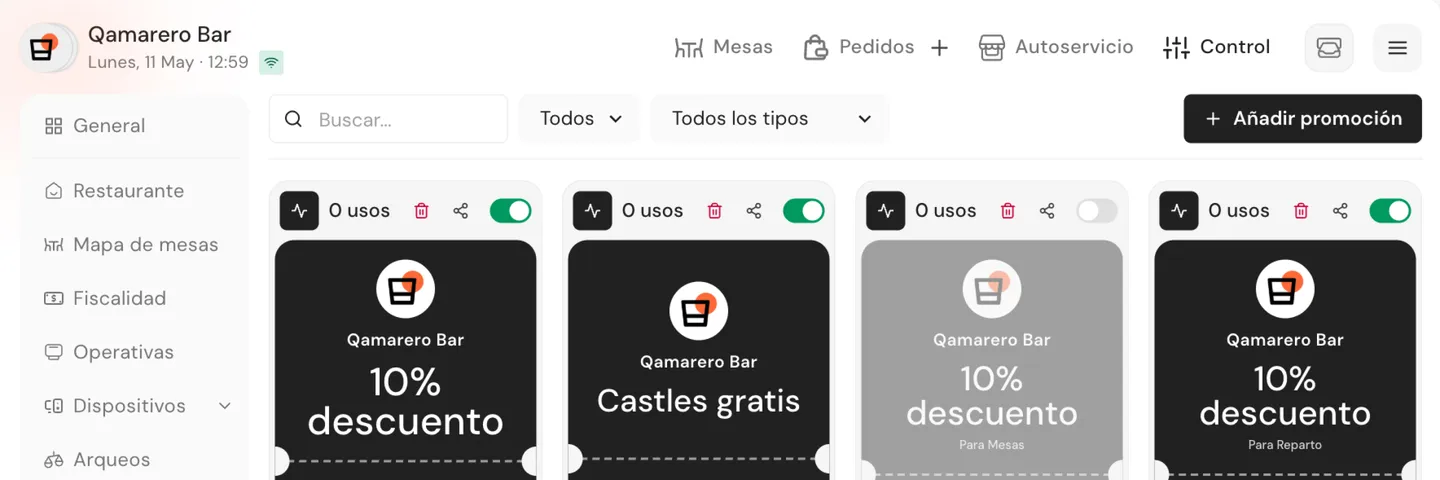
Promotions that police themselves.
Every discount has limits. Every redemption leaves a trail.
You choose when and to whom
Dates, hours, channels, minimum order and maximum uses. The promo turns itself off when it hits the limit.
Every redemption leaves a trail
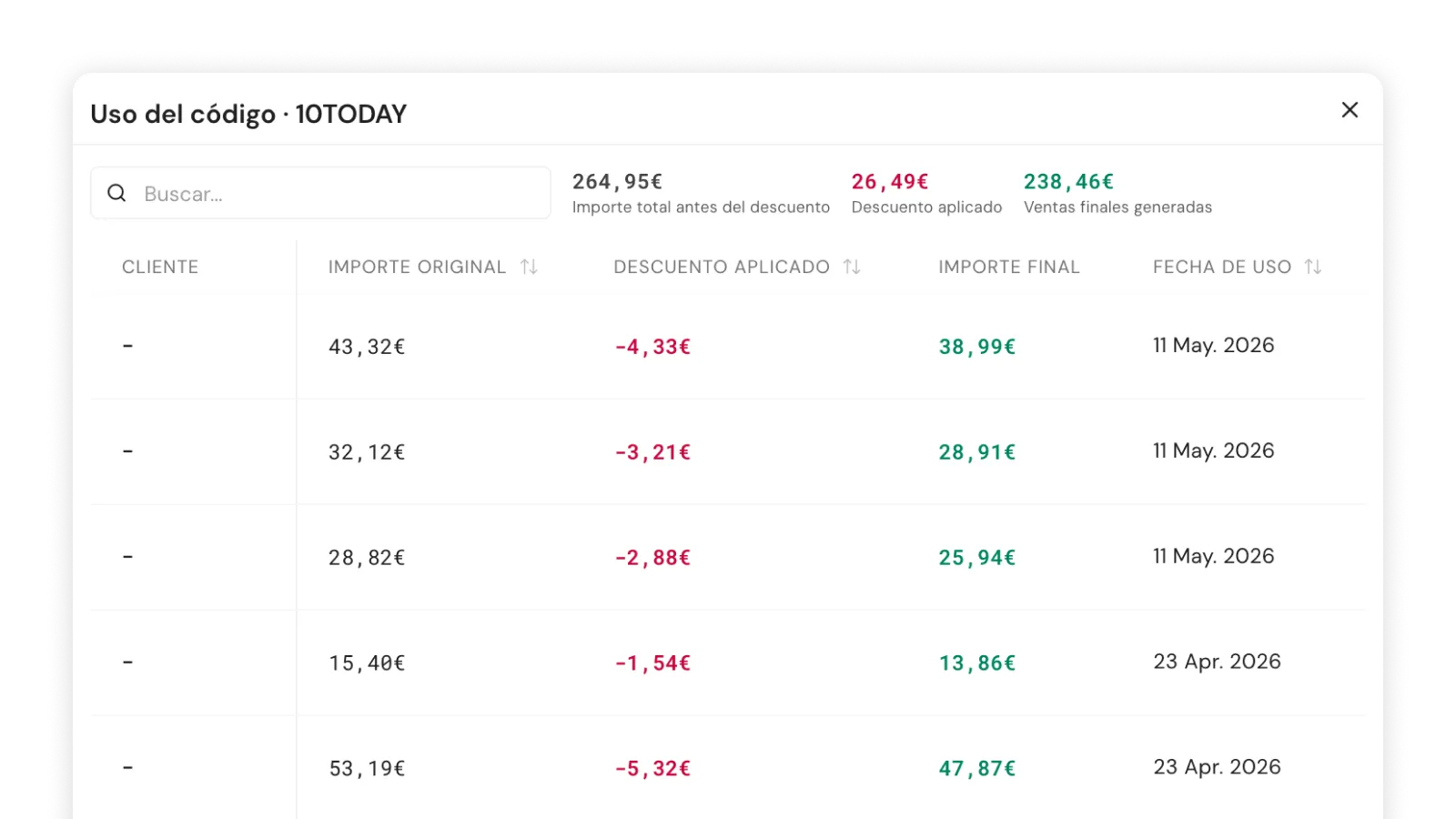
Every use is logged with the customer, the discount amount, the original total and the channel. A manual discount leaves nothing.
Across every channel
POS, QR table, pickup, delivery and self-service. The customer types the code into the order without staff having to touch anything.
How much are untracked discounts costing you?
No long-term contracts.
From creating the code to measuring the impact.
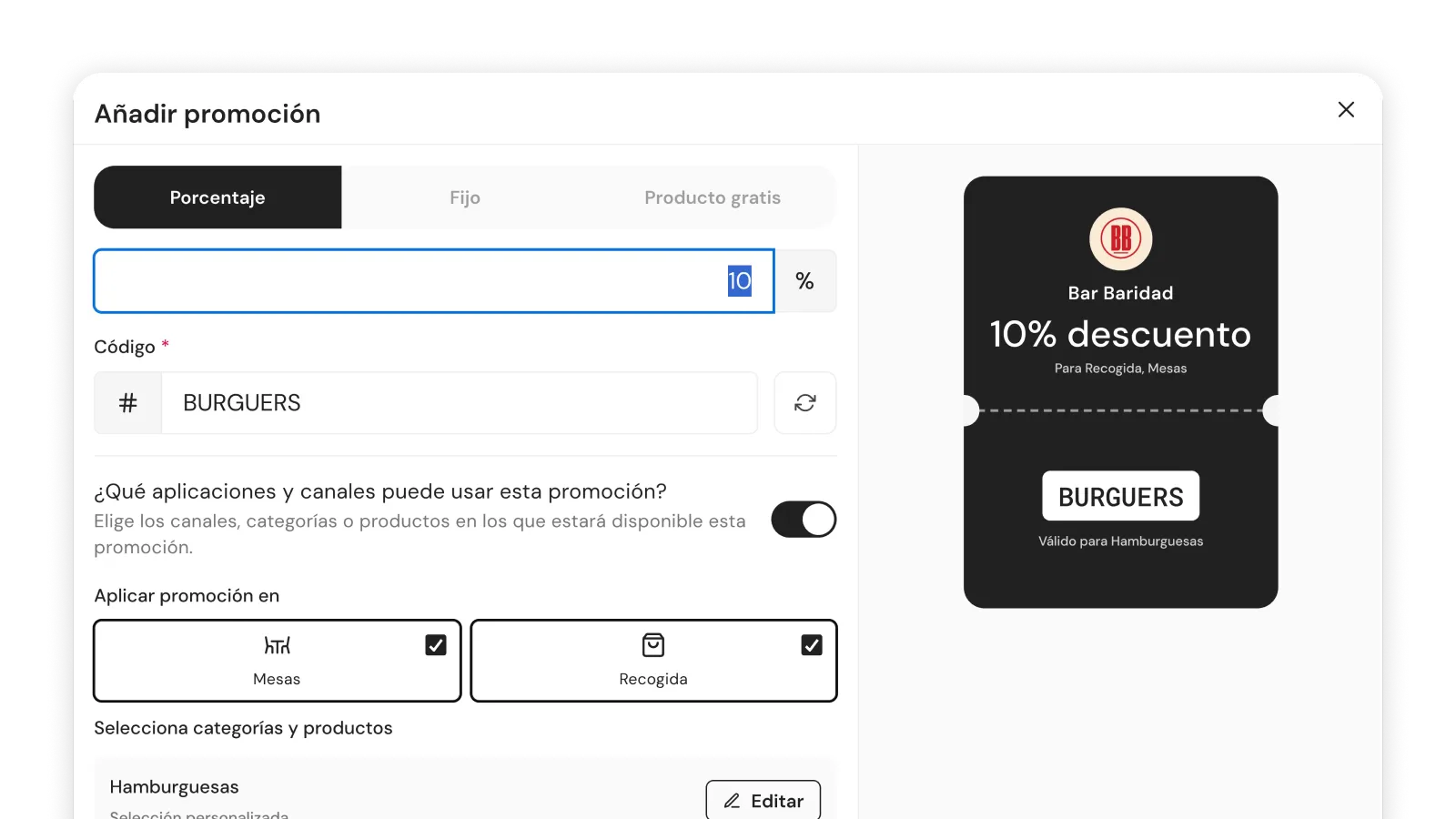
Any kind of discount
Percentage, flat amount or free product. Name, discount type, code ready in three minutes from the web dashboard.
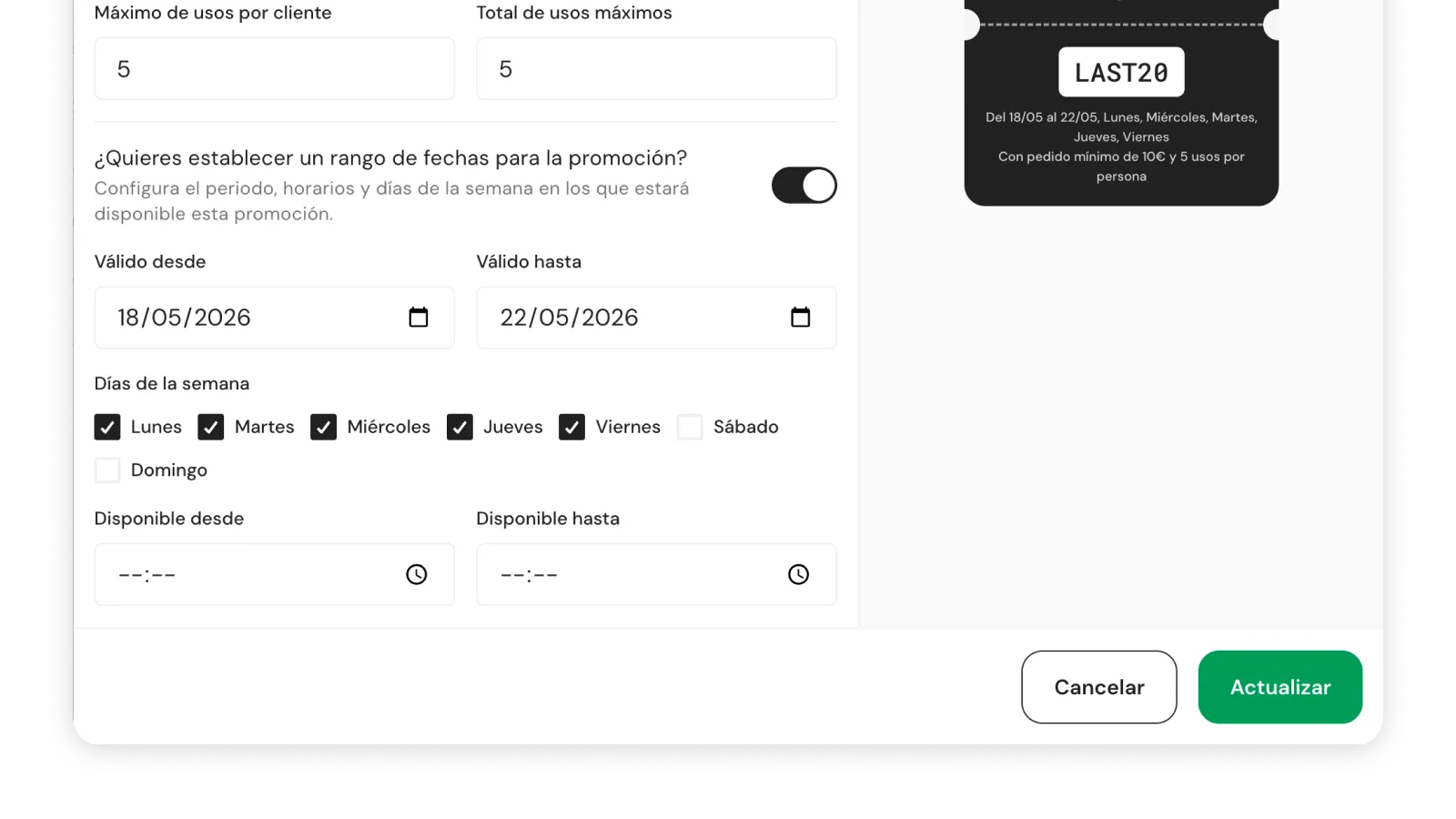
Limits that police themselves
Dates, days, time windows, channels, minimum order and maximum redemptions overall and per customer. Once it hits the cap, the code is rejected automatically.
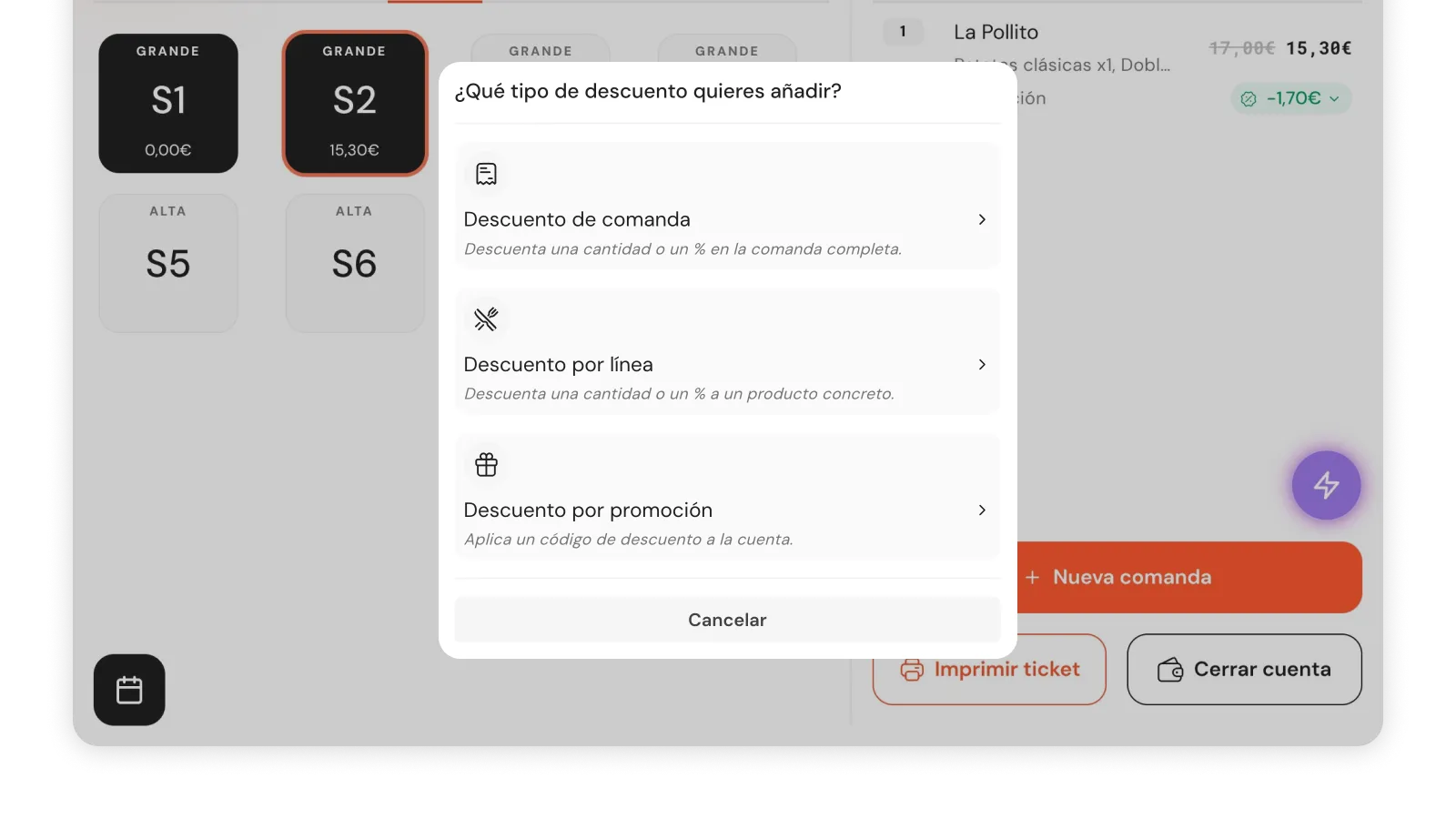
Customer or waiter applies it
The customer types the code into Self-service, Pickup or Delivery. The waiter applies it from the POS. Limits are checked instantly.
Measure every promo in real time
Redemptions, attributed sales and average ticket with promo vs without. Compare codes, see which one works and double down on what pays.
Without Promotions, discounts run wild and no one knows what they cost.
Included in every plan from €119/month. No long-term contracts.
Frequently asked questions
Can I limit how many times a code is used?
Yes, you set a maximum number of redemptions per code and per customer. The code deactivates automatically when it hits the limit. You don't have to check on it.
Can customers redeem promos in Self-service?
Yes, the customer types the code directly in the order flow from QR table or self-service. It also works on Pickup and Delivery from the digital menu.
Can I create promos only for specific days?
Yes, each promo has configurable start and end dates, and you can also limit it to specific days of the week or to a time window.
How do I know if a promo is working?
From the dashboard you see redemptions in real time, attributed sales and average ticket for every active code. You can also compare performance across promos.
Why use Promotions if I can give discounts manually?
A manual discount has no limit, leaves no trace and you can't measure its impact. With Promotions every redemption is logged with the discount amount, the original total and the customer who used it.
How is it different from Groupon or coupon platforms?
Qamarero takes no commission on redemption, the customer stays in your base and the data is yours. With Groupon you hand control of the customer over to the platform.
How do I create my first promo?
From the web dashboard, in three minutes: name, discount type (flat, percentage or free product), limits and done. No prior setup or training needed.
Do promos work on Delivery or Pickup?
Yes, if you have the Pickup or Delivery channel enabled for that promo. The customer can type the code from the digital menu in the pickup or delivery flow.
Shall we see it with your next promo?
No long-term contracts.