Shift planning
Next week's schedule, ready. No Excel, no WhatsApp.
Build it from scratch, clone last week or let AI propose it. Hit publish and the team sees it instantly in their app.
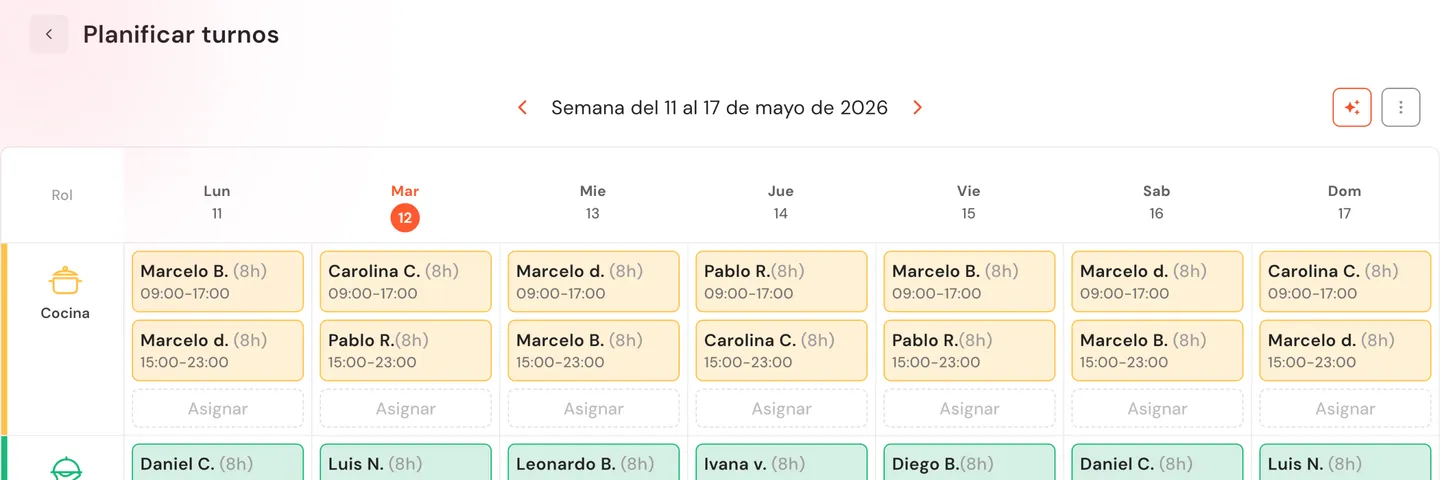
A rota that builds itself and reaches everyone.
No Excel, no WhatsApp, no double-booked shifts or last-minute calls.
AI generates the schedule in seconds
It analyzes recent weeks and proposes a full schedule with a reasoning note per assignment. You adjust what doesn't fit and publish.
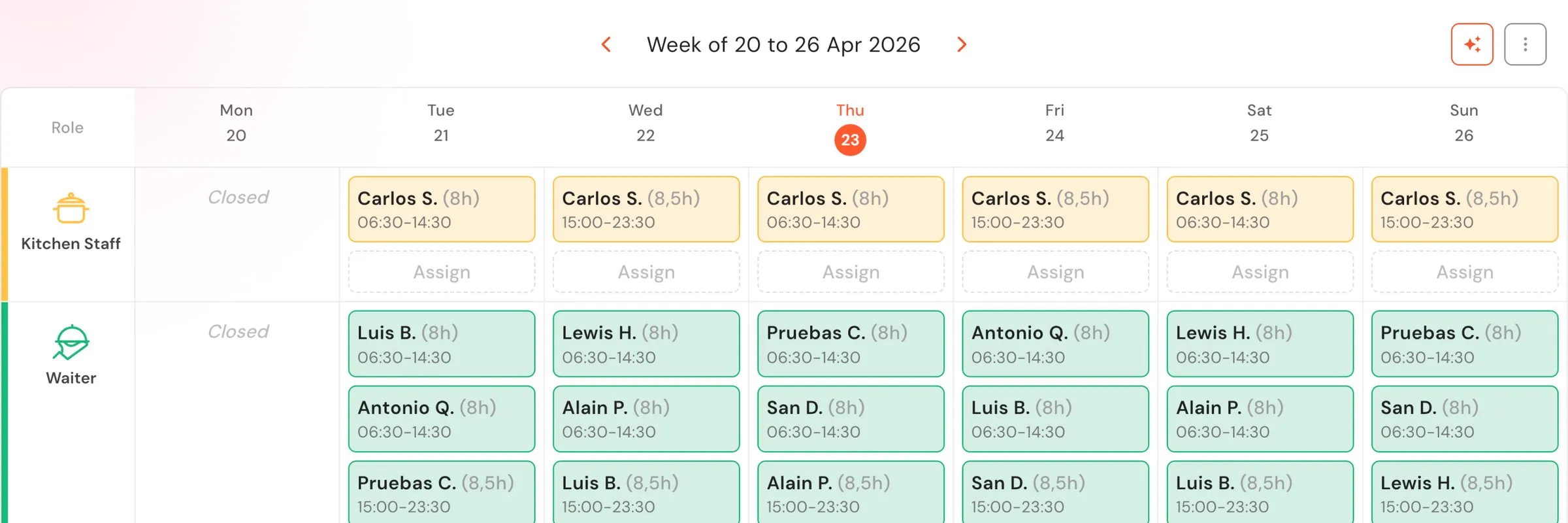
See at a glance who's covering each area
Weekly view by role with color: kitchen, floor, bar, rider. Gaps stand out before Saturday night.
The team sees their schedule in the app
When you publish, every employee sees their shifts in the app. No forwarding files, no 'when am I working tomorrow?'.
How many hours a week do you spend building the rota?
No long-term contracts.
Planning that adapts to how your team works.
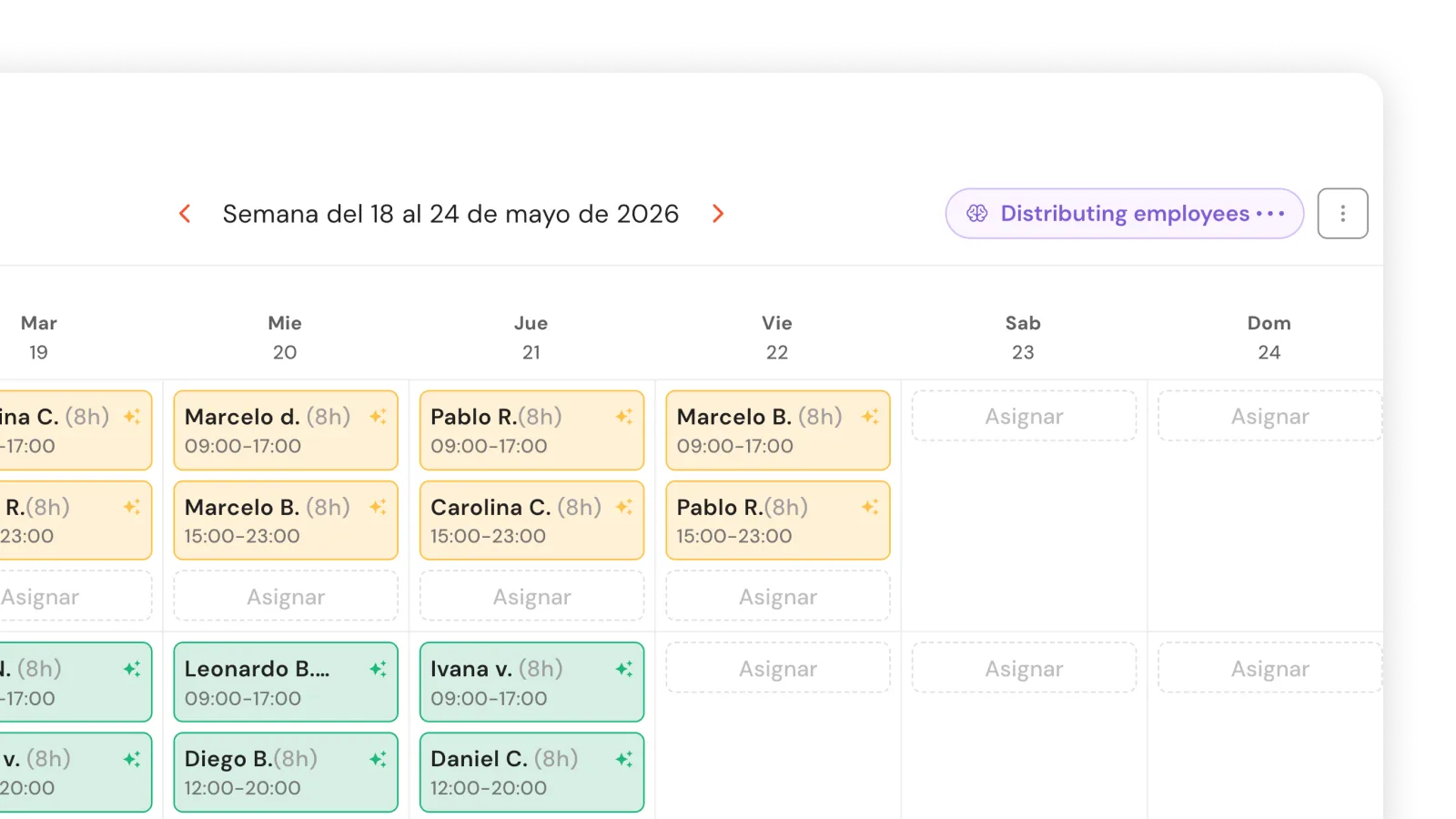
AI auto-assign in one click
Hit 'Auto-assign with AI' and the system analyzes recent history. Shifts generate instantly with a reasoning note per assignment. Accept, edit or undo before publishing.
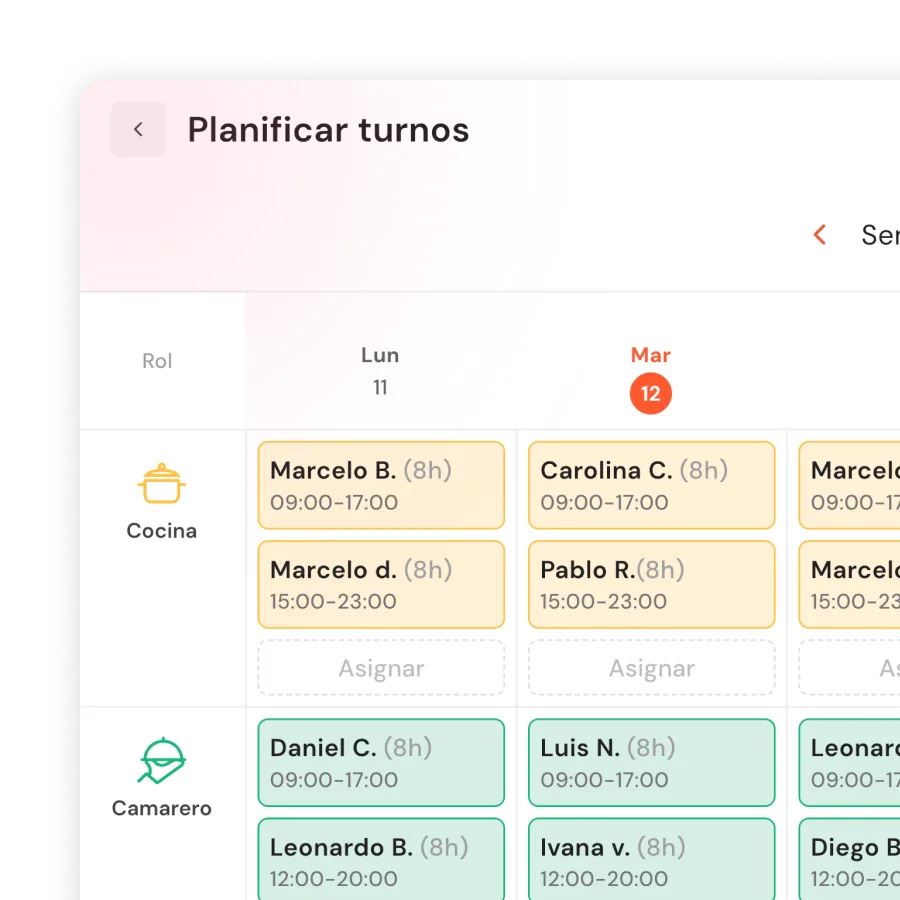
Weekly view by role, color-coded
Kitchen, floor, bar, rider and POS on one screen. Clone previous weeks. Bulk assign multiple staff, multiple days, in one operation.
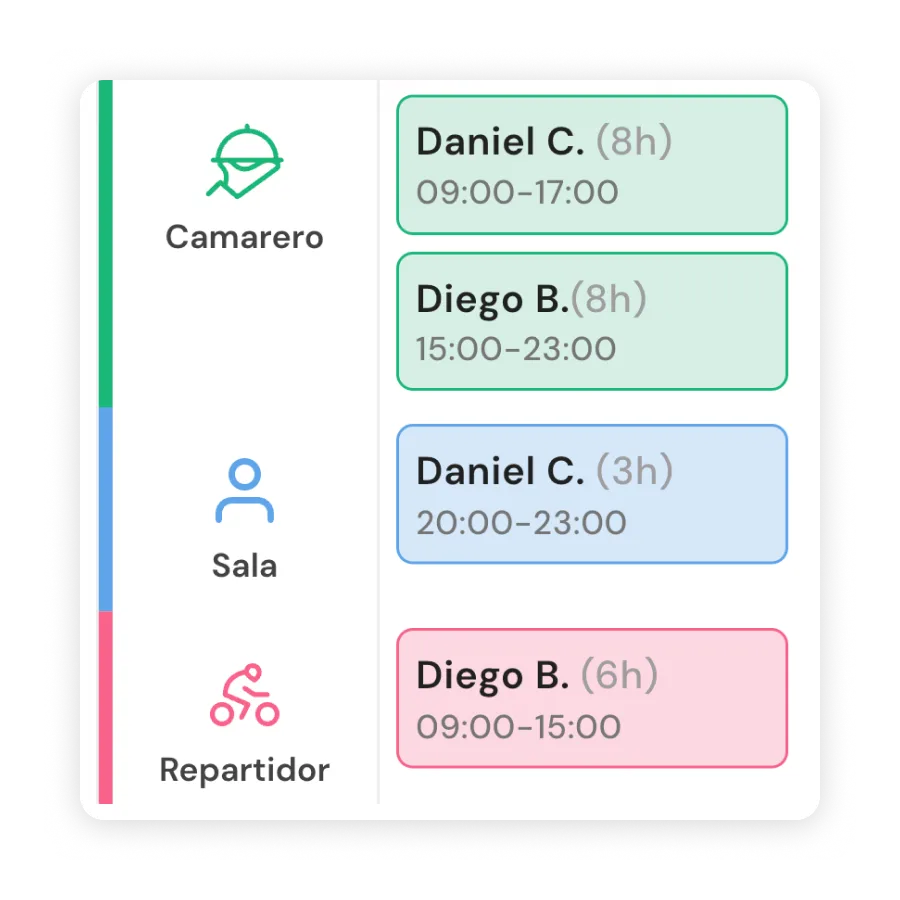
Split shifts and multi-role on the same day
Multiple slots for the same staff member: kitchen in the morning, floor at night. The system validates that they don't overlap.
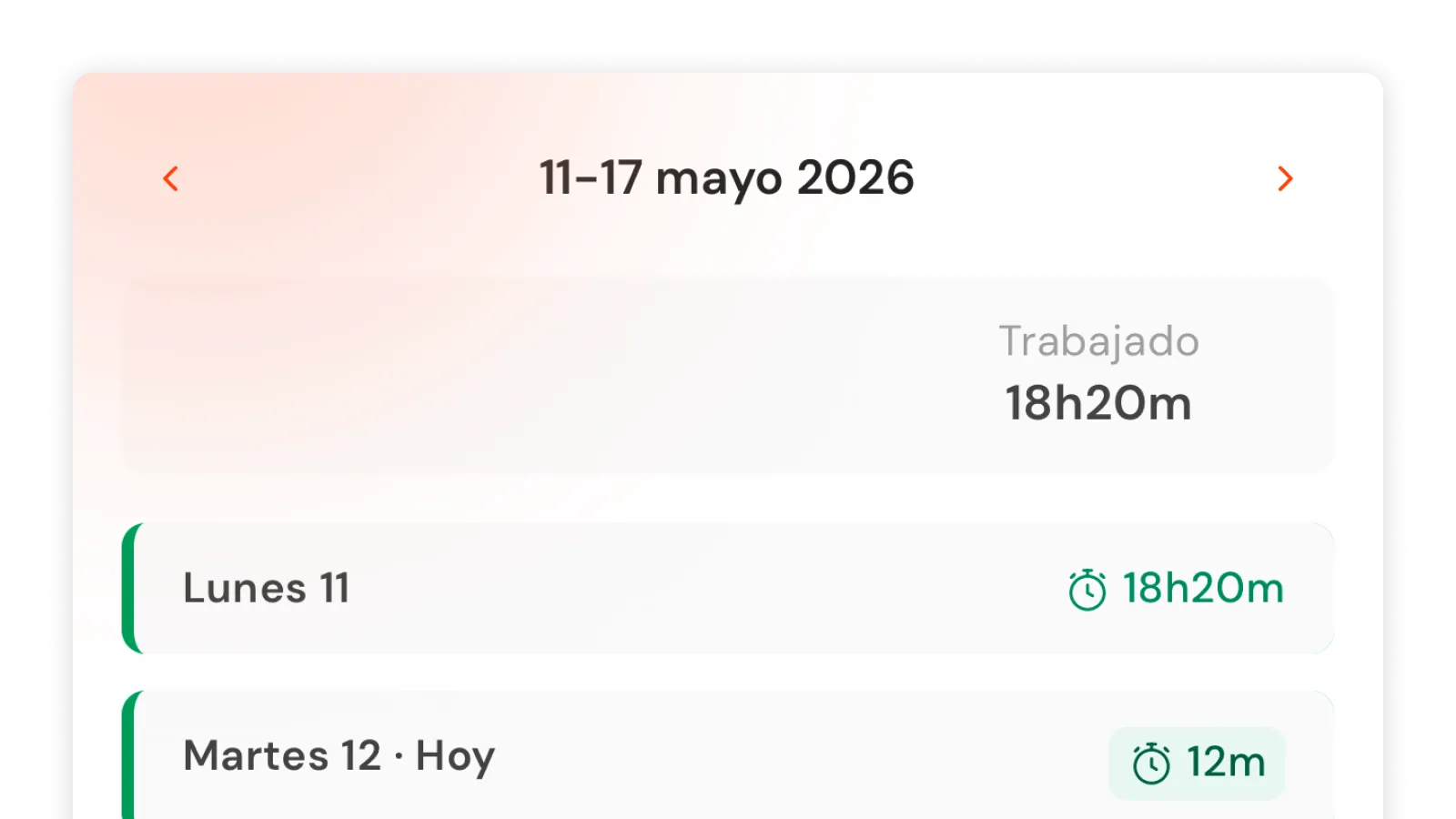
Staff see their shifts in the app
From the app, each employee checks their shifts for the current, previous and next week. They only see their own. Any change reaches them instantly.
Without Shift planning, every week is an Excel, a WhatsApp and two staff getting double-booked.
Available on Control (€169/month) and Total (€249/month). No long-term contracts.
Frequently asked questions
How does AI planning work?
The AI analyzes recent weeks of history (roles, hours, patterns) and proposes a full schedule in seconds. Every shift includes a note explaining why it was assigned. You can accept, modify or undo everything before publishing.
Can staff see their schedule?
Yes. From the waiter app they see their shifts for the current, previous and next week, with assigned role and total hours. They don't see their teammates' shifts.
Can I create split shifts?
Yes. You can assign multiple slots per employee per day (e.g. 12-4pm and 8pm-midnight). The system automatically validates no overlap. Each slot counts with its role and adds to the day's total.
What if I publish and then want to change something?
You can edit and republish. Changes are immediate and the employee sees the updated version instantly in their app.
Isn't it cheaper with Factorial or Sesame?
Those tools are generic. Shift planning lives inside Qamarero: connected with time tracking, the POS and your restaurant operations. It knows who's supposed to be working and cross-checks it with who actually clocked in.
What if I don't have history for the AI?
If there's not enough history, the AI generates a baseline proposal from the restaurant's opening hours. It improves with every week of use.
How do I activate the planner?
From POS → Control → Shifts. Available on Control (€169) and Total (€249) plans. As soon as you access it you can create your first week.
Can staff change their shifts?
No. The employee view is read-only. Any change must be requested through the manager, who edits and republishes.
Can I assign multiple roles to the same employee on the same day?
Yes. You can create multiple slots for the same employee with different roles (e.g. kitchen 9am-2pm and floor 8pm-midnight). Each slot counts with its role and adds to the day's total.
Can I plan a day when the venue is closed?
Yes. Even if the day is marked as closed, you can plan shifts for tasks outside business hours: cleaning, restocking, renovations or internal training.
Next week's schedule can be ready in seconds.
No long-term contracts.